MACDICATOR • TRADINGVIEW
One Indicator.
Your Setup.
Powerful, customizable chart analysis without turning your chart into a mess. Bring the tools you use most into one streamlined TradingView workspace.
STOCKSFUTURESETFsFOREXCRYPTOINDICES
Trading-analysis software. No indicator guarantees trading results.
MACDICATOR / LIVE CHART● ACTIVE
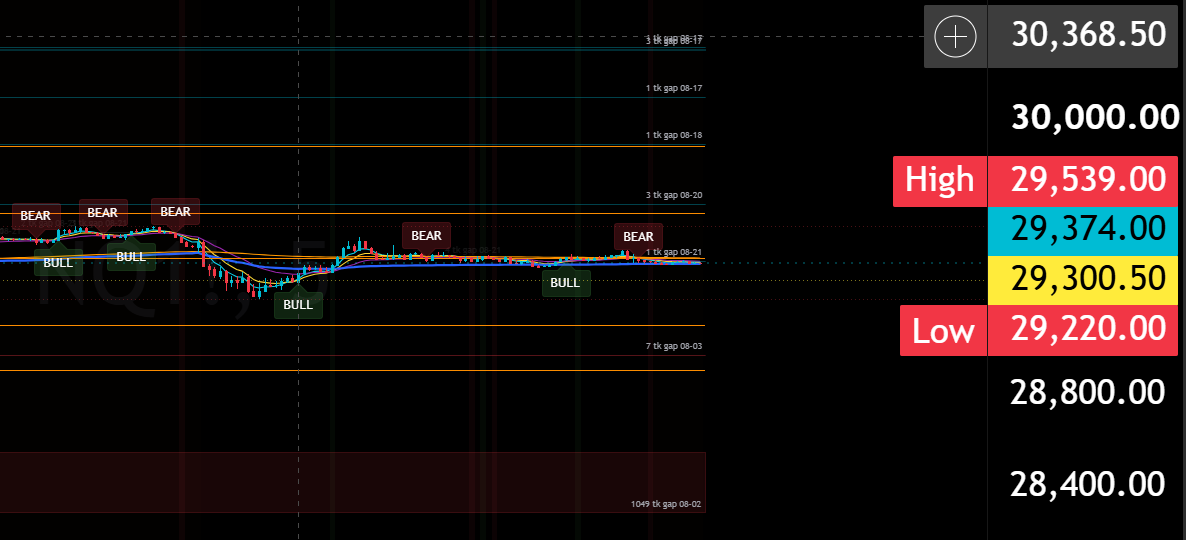
WHAT'S INSIDE
Everything you need.
Nothing you don't.
Macdicator brings the chart tools together by purpose, so you can build a workspace that fits the way you trade.
MARKET STRUCTURE
See where price leaves information behind.
Track gaps and imbalance zones directly on the chart, then follow how price interacts with those areas over time.
Gap Detection
Volume Imbalances
Gap Candle Highlighting
CHART TOOLS
Keep your core references in one workspace.
Use configurable moving averages, session VWAP and pivot systems without stacking separate indicators across the chart.
Customizable EMAs
EMA Cross Detection
Session VWAP
Pivot Points
SIGNALS & RECOGNITION
Make important chart events easier to spot.
Highlight directional changes and candle characteristics with clear visual prompts built for fast chart reading.
Directional Trend Signals
BULL / BEAR Signals
Wickless Candles
CUSTOMIZATION & ALERTS
Make Macdicator fit your trading style.
Control how the indicator looks and behaves, then create TradingView alerts around the events that matter to you.
Feature Controls
Colors & Labels
Flexible Periods
TradingView Alerts
BUILT AROUND YOUR TRADING STYLE
Your chart.
Your rules.
Macdicator isn't a locked one-size-fits-all layout. Configure the tools and presentation around the way you read a chart.
Turn features on or offChange EMA periodsAdjust colors & labelsConfigure gap behaviorSelect pivot settingsCustomize signals & alerts
MACDICATOR SETTINGSCustomize your workspace
Gap DetectionON
Volume ImbalancesON
EMA Suite5 / 9 / 20 / 200
Session VWAPON
Pivot SystemCONFIGURABLE
Directional SignalsON
TradingView AlertsREADY
ONE INDICATOR • MULTIPLE MARKETS
Use it where you chart.
STOCKSFUTURESETFsFOREXCRYPTOINDICES
Macdicator is designed for chart-based analysis across TradingView-supported markets. Public demonstrations may focus on futures, but the indicator is not limited to futures.
HOW TO THINK ABOUT IT
Context, not a magic button.
Macdicator organizes multiple forms of chart information into one workspace. A trader can combine its tools with price action, gaps, volume, liquidity and order flow when evaluating market conditions.
BULL and BEAR labels are visual prompts—not guarantees, predictions or automatic buy/sell instructions.
Macdicator is not the standard Moving Average Convergence Divergence (MACD) indicator. It is a separate multi-tool TradingView indicator.
READY TO BUILD YOUR SETUP?
One Indicator.
Your Setup.
Bring customizable chart tools together in one TradingView workspace.
GET MACDICATOR